
I wanted an Amiga 1200 that I could use every day without depending on a thirty-year-old motherboard. Not a software emulator in a window, and not a box that merely looks like an Amiga. I wanted the machine itself: a 68020, the familiar chipset and Workbench, real input and storage paths, and a display that plugs into a modern monitor.
Miggy1200 is my attempt to build that machine. Its heart is an ULX3S board with an ECP5 FPGA running an Amiga 1200 compatible core. The FPGA implements the computer’s hardware; an ESP32 handles the on-screen setup menu, SD-card services, and Wi-Fi. I supply my own licensed Kickstart ROM. The result boots AmigaOS on physical hardware, with HDMI output and USB keyboard and mouse input.
This is already more than a render. I have Workbench booting on the board, disks backed by SD storage, networking over Wi-Fi, NFS shares, and a Picasso96 graphics driver for an RTG desktop. The current build has been exercised on the actual ULX3S under simultaneous graphics, storage, and network load. There are still limits and unfinished features, but the basic computer is alive.
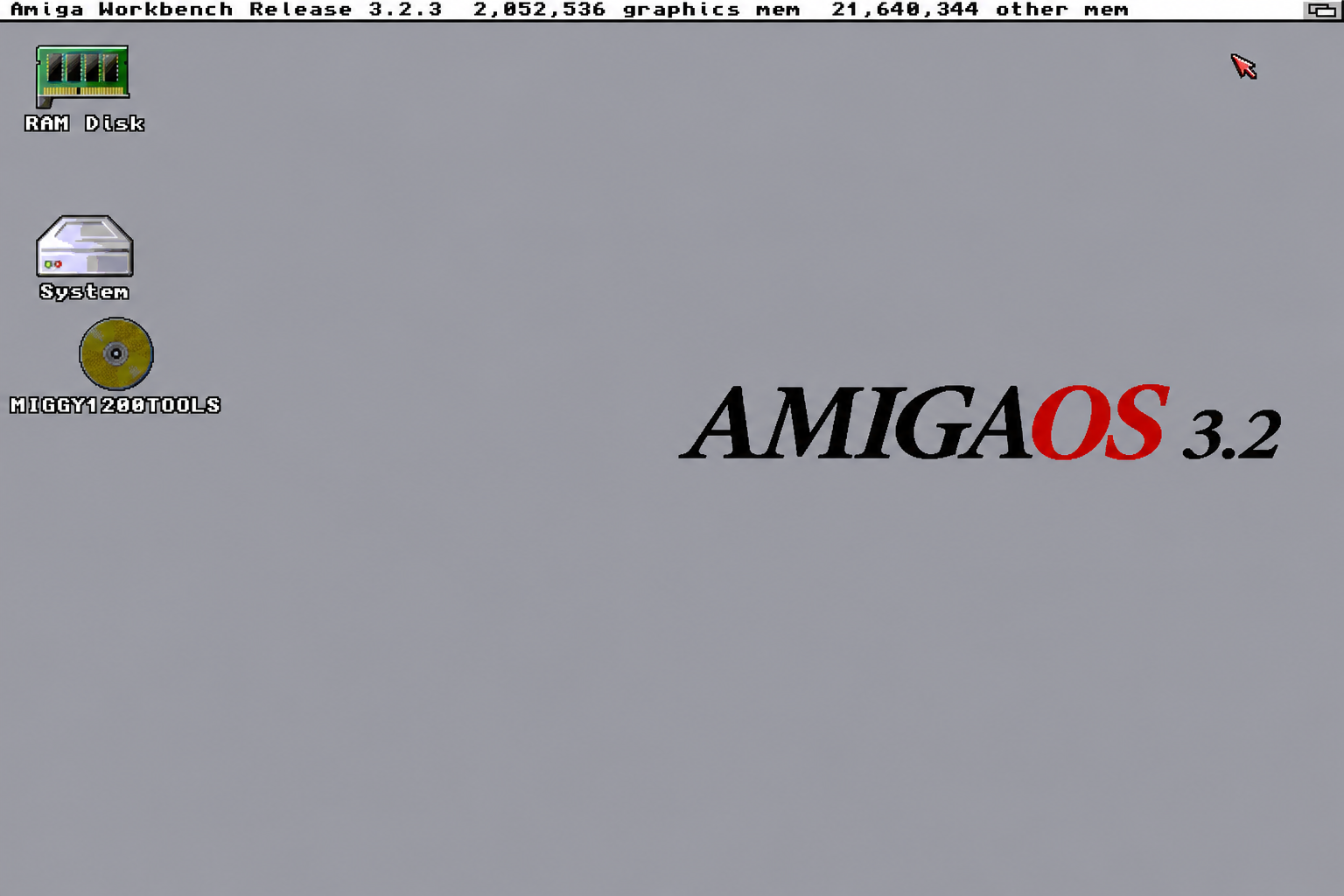
Workbench on the ULX3S in 720×480, 16-bit RGB565 RTG mode. This enlarged image is based on a hardware capture; I replaced the old project wallpaper with an AmigaOS 3.2-style wordmark. View the unedited capture.
Why build another Amiga-compatible machine?
Original Amiga hardware is wonderful, but using it as a daily development machine means maintaining aging boards, drives, and video connections. Modern PCs can emulate the experience brilliantly; I wanted a self-contained hardware computer that could sit on a desk, boot from its own storage, and talk to today’s displays and networks.
That goal shapes the work. HDMI makes the machine easy to connect. SD-backed hard disks and floppy images avoid fragile media. Wi-Fi and NFS let me move files without sneaker-net. The custom RTG driver gives Workbench more room and color than the native display alone. An installer pulls the software together so setting up a machine does not require reproducing months of bench work by hand.
From development board to finished box
Right now, the ULX3S is the working computer. The next hardware milestone is a custom carrier board that mates with it and holds a Teensy 4.1. The carrier brings the power system, USB-C host connection, Ethernet, the FPGA-to-Teensy link, and connectors for the front display, status LEDs, and fan into one compact assembly. Once the board comes back, I can assemble and bring up those paths in the enclosure. USB host and wired Ethernet on that carrier are plans until they pass physical testing; existing USB input and Wi-Fi run through the current ULX3S setup.
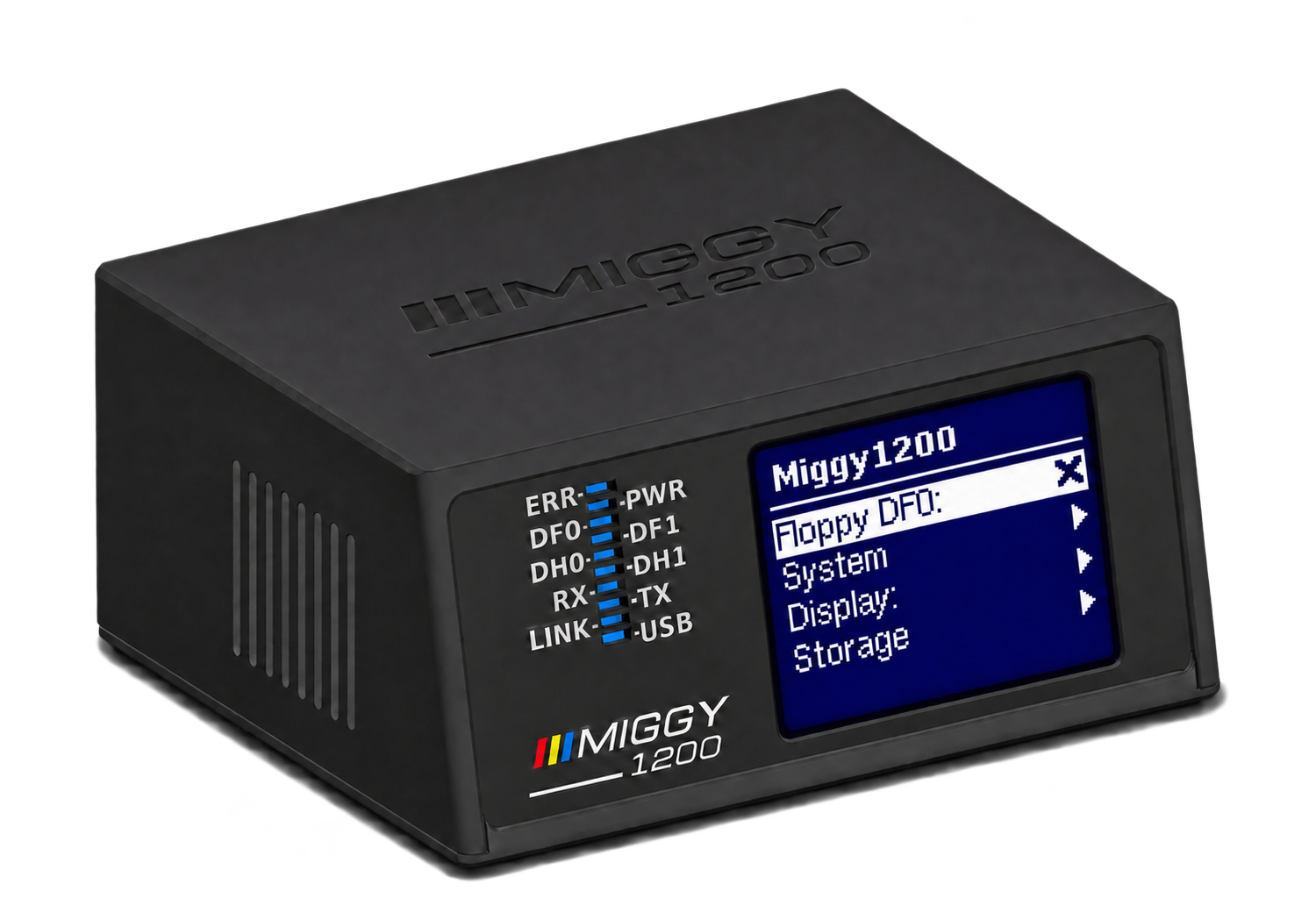
The case is part of the engineering, not decoration. It has a sloped front panel for a small status display and activity LEDs, a labelled rear panel, airflow across the boards, and room to assemble and service the stack. The current design uses a base, a removable cover, and captured front and rear panels. Earlier snap-fit ideas gave way to screws and heat-set inserts after print and fit reviews. The images here are case renders, not photos of an assembled machine. The black-on-black roof logo is already printed; the Miggy1200 menu shown on the LCD is a concept for the interface I am working toward, not a finished feature.
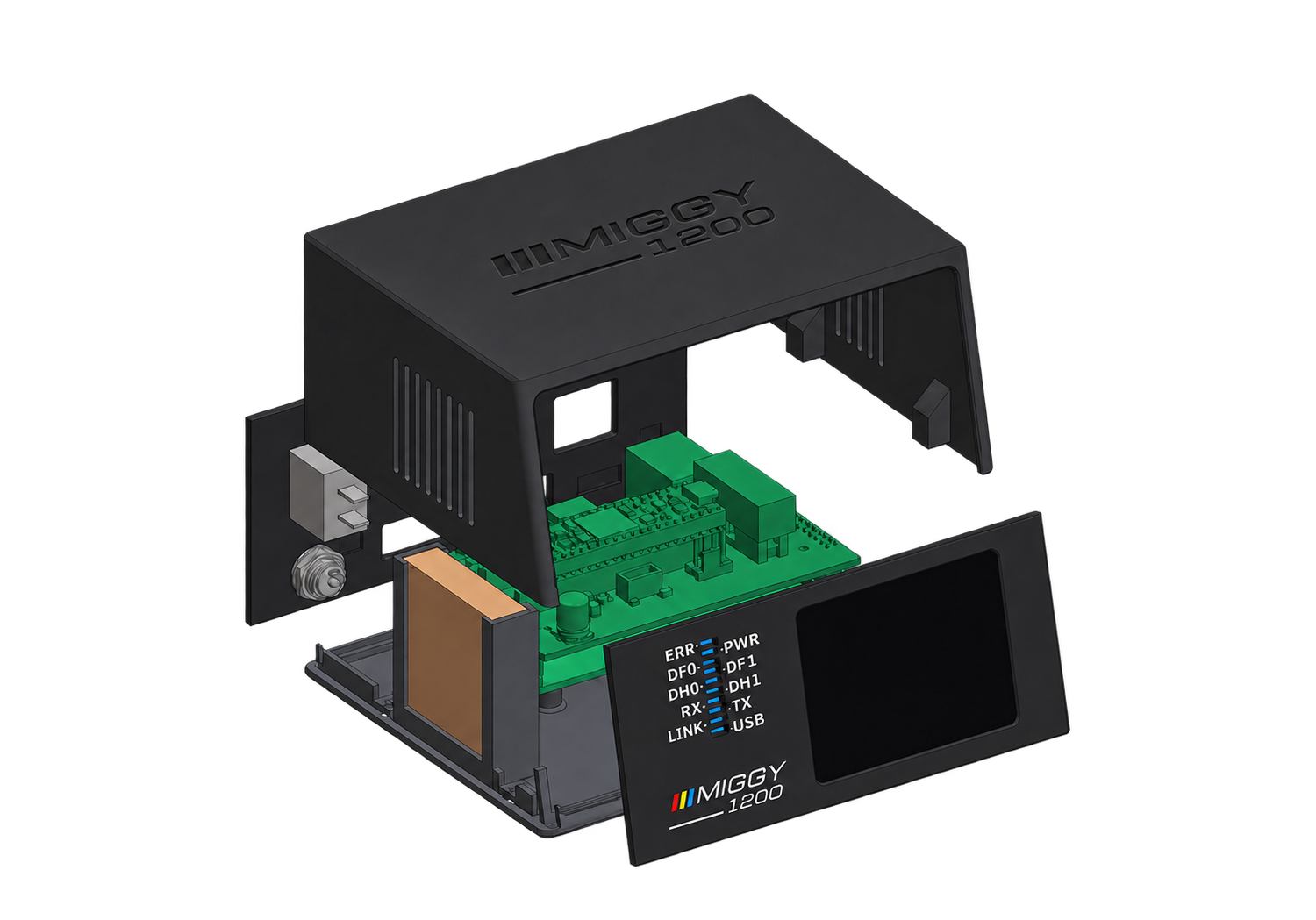
Exploded case concept: electronics stay with the base and panels, while the cover lifts off for service. The roof shows the black-on-black logo used on the printed cover.
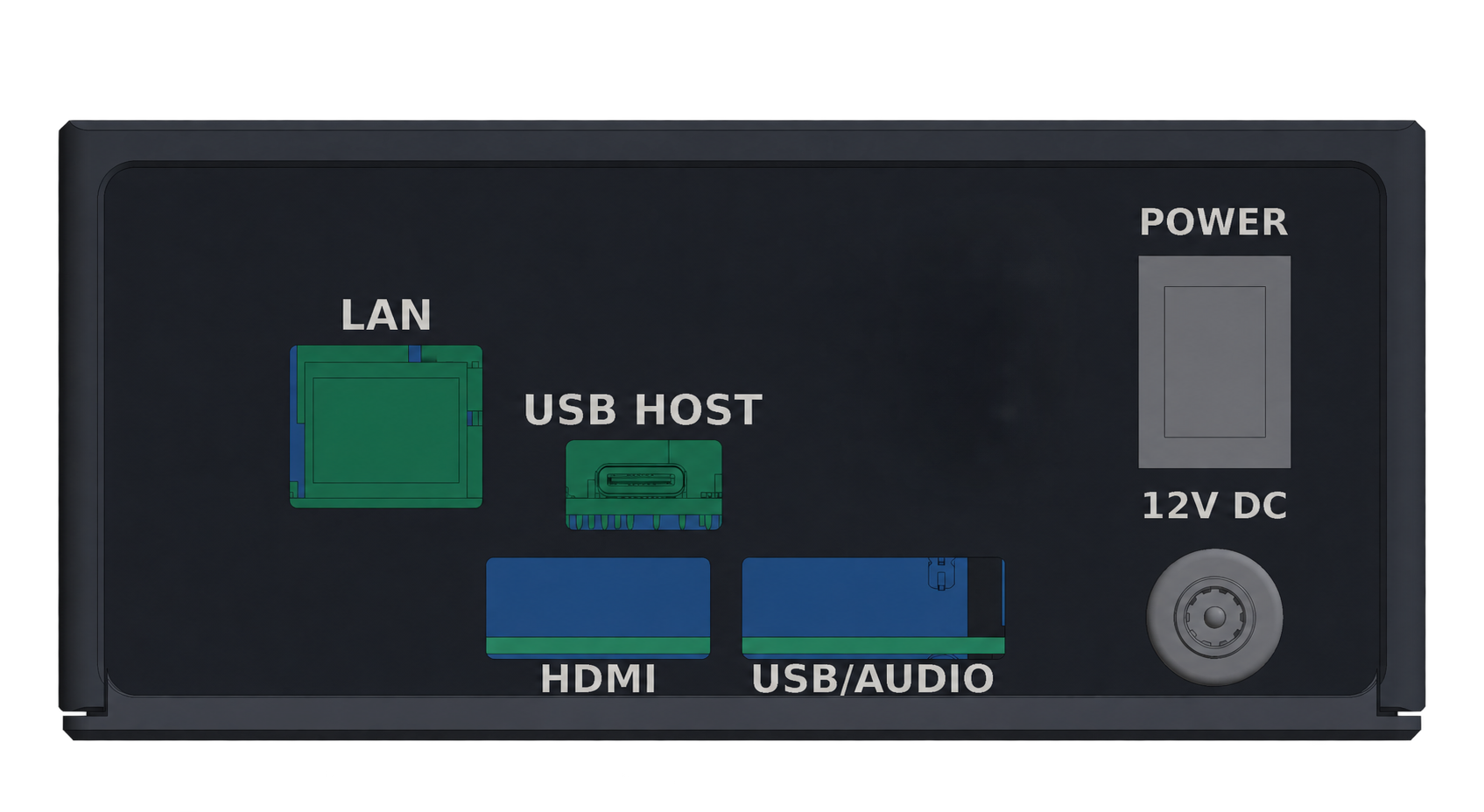
Rear-panel layout. LAN and the carrier USB host opening await the new board and bring-up.
AI as a shop tool
AI has helped me turn ideas into editable engineering artifacts. I used it to help build the parametric FreeCAD case, work through mechanical clearances, and develop the KiCad carrier design, including the generated schematic, routing, and fabrication checks. That did not make the first answers correct. Printed parts exposed weak fasteners and missing insert bores; electrical reviews found issues that needed another carrier revision. I changed the designs, checked them again, and kept the evidence with the source.
That loop is what interests me: propose, model, inspect, print or fabricate, measure, and correct. A case that looks good in a render still has to accept the real board, let a cable bend, clear a fan, and come apart without breaking. A clean PCB design rule check still has to survive power-up and signal measurements. The carrier’s return will start that next round of real-world testing.
Moving the software from C to Rust
Miggy1200 also has a growing Amiga-side software stack: graphics, disk and CD-ROM support, networking, preferences, and installation tools. Much of it began in C. I am now porting the custom software to Rust, starting with the configuration application and its network, Wi-Fi, and NFS settings. The Rust version has already rendered its pages on a physical Miggy1200; the C binaries remain in place while I close behavior and hardware-testing gaps.
This is a deliberate migration, not a language swap for its own sake. Device code has unforgiving interfaces and failure modes. I want the new implementation to preserve the things the C version already does, especially around settings files, network state, and installation, before it replaces anything users depend on.
The work ahead is clear: bring up the returned carrier, finish the enclosure assembly, replace the wallpaper with original artwork, and keep proving the Rust ports against real hardware. Miggy1200 already boots and does useful work. Next I want it to feel like a complete little computer I can leave on my desk.